Web app development has quietly become the backbone of modern digital business.
From SaaS platforms and customer portals to internal dashboards and AI-powered tools, most mission-critical software today is delivered through the browser. Companies are no longer asking if they should invest in web applications, they’re asking how to build them correctly, without accumulating technical debt or limiting future growth.
The market data makes this shift clear:
- The global web application market continues to grow alongside SaaS adoption, with SaaS spending projected to exceed $295 billion by 2025.
- Gartner reports that over 70% of new enterprise applications are now web-based or cloud-native, driven by scalability and faster deployment cycles.
- McKinsey found that organisations adopting modern web platforms deliver features 20–30% faster than those relying on legacy systems.
Despite this growth, many businesses still underestimate what web app development actually involves. They treat it as a one-time build rather than a long-term product investment, leading to poor architecture decisions, security gaps, and expensive rebuilds later.
Looking ahead, this gap is only going to widen. Enterprise web applications are no longer just code and infrastructure decisions. They increasingly depend on how well teams integrate AI into development workflows, from assisted coding and automated testing to observability and governance. By 2026, AI won’t be a bolt-on. It will be a first-class capability inside the web app development lifecycle.
This guide exists to prevent that.
What Is Web App Development?
Web app development is the process of designing, building, deploying, and maintaining software applications that run in a web browser and deliver interactive, data-driven functionality.
Unlike static websites, web applications:
- Handle user authentication and roles
- Process and store large volumes of data
- Integrate with third-party services and APIs
- Support real-time interactions
- Scale dynamically with user demand
Common examples include:
- SaaS products (CRM, HR, analytics platforms)
- Customer and partner portals
- Internal enterprise tools
At a structural level, web app development typically includes:
- Frontend – user interface and user experience
- Backend – business logic, APIs, and data handling
- Infrastructure – cloud hosting, security, scalability, monitoring
Each layer directly impacts performance, cost, and long-term maintainability.
Web App vs Website: A Difference That Matters
One of the most common, and costly, mistakes is treating a web app like a website.
Aspect | Website | Web Application |
Primary purpose | Informational | Functional & transactional |
User interaction | Minimal | High |
Authentication | Rare | Core feature |
Data processing | Limited | Central |
Scalability needs | Low–medium | Medium–high |
If users need to log in, manage data, perform actions, or collaborate, you are building a web app, not a website. This distinction affects everything: budget, architecture, timelines, and security.
Why Web App Development Has Become the Default Choice
Several forces have made web app development the dominant approach:
1. Accessibility Across Devices
Web apps run on any modern browser, eliminating the need for platform-specific installations.
2. Faster Iteration Cycles
Teams can ship updates continuously without forcing users to download new versions.
3. Lower Long-Term Costs
A single codebase can serve desktop, tablet, and mobile users.
4. Cloud-Native Scalability
According to Flexera, 94% of enterprises now use cloud services, with web apps being the primary beneficiaries of elastic scaling.
When Web App Development Makes the Most Sense
Web app development is ideal when you need:
- Frequent feature updates
- Multi-user collaboration
- Data-heavy workflows
- Integration with external systems (CRM, ERP, payments)
- Long-term scalability
This is why startups, scale-ups, and enterprises increasingly use web apps as their primary digital product, not just a supporting tool.
Types of Web Applications and Their Real-World Business Use Cases
Not all web applications are built for the same purpose.
One of the biggest reasons web app projects struggle is misalignment between the app type and the business goal. Choosing the wrong model can lead to overengineering, inflated costs, or limitations when the product needs to scale.
In this section, we’ll break down the major types of web applications, when to use each, and the business problems they solve best.
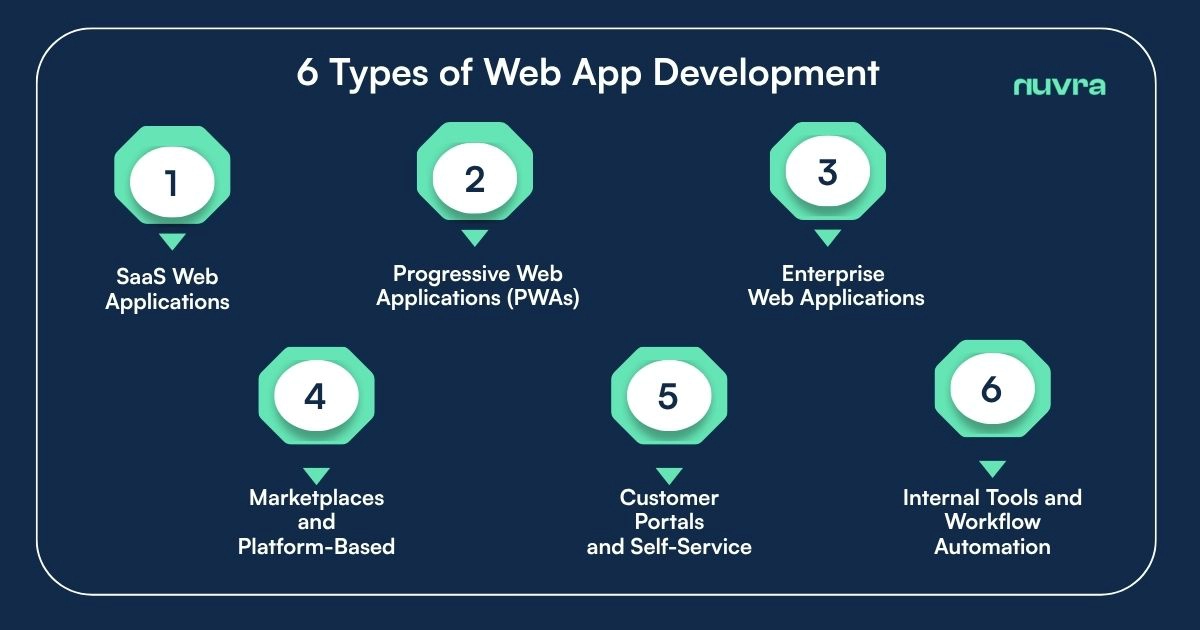
1. SaaS Web Applications
Software-as-a-Service (SaaS) web applications are subscription-based platforms delivered entirely through the browser. Users pay monthly or annually to access features, data, and ongoing updates.
Common Examples
- CRM platforms
- HR and payroll systems
- Accounting and finance tools
- Analytics and reporting platforms
Why SaaS Dominates Web App Development
SaaS has become the default delivery model for business software. According to Bessemer Venture Partners, over 70% of high-growth software companies are SaaS-first due to predictable revenue and scalability.
When SaaS Is the Right Choice
SaaS web app development makes sense when:
- You want recurring revenue
- The product serves multiple customers with similar needs
- Continuous updates and feature expansion are expected
- Scalability is critical from day one
Key Technical Considerations
- Multi-tenant architecture
- Strong access control and billing logic
- High availability and uptime guarantees
2. Progressive Web Applications (PWAs)
Progressive Web Apps combine web accessibility with mobile app–like experiences. They run in browsers but offer features such as offline access, push notifications, and home-screen installation.
Why Businesses Use PWAs
PWAs reduce the friction of app downloads while still delivering high engagement.
Study reports that:
- PWAs can improve user engagement by up to 137%
- Businesses have seen conversion rate increases of 20–36% after adopting PWAs.
Common Use Cases
- E-commerce platforms
- Content-heavy platforms
- Consumer-facing portals
- Emerging-market applications with limited connectivity
When PWAs Make Sense
- You want mobile reach without maintaining native apps
- Speed and accessibility matter more than device-level features
- You’re validating demand before investing in native development
3. Enterprise Web Applications
Enterprise web applications are internal or B2B systems designed to support complex workflows, large user bases, and strict security requirements.
Common Examples
- ERP systems
- Internal dashboards
- Workflow automation tools
- Compliance and reporting platforms
Why Enterprises Prefer Web Apps
- Centralised access across teams and locations
- Easier updates compared to desktop software
- Better integration with cloud infrastructure
Key Characteristics
- Role-based access control
- Audit logs and compliance readiness
- High reliability and performance under load
4. Marketplaces and Platform-Based Web Apps
Marketplace web applications connect multiple user groups, buyers, sellers, service providers, within a single ecosystem.
Common Examples
- Booking platforms
- B2B procurement systems
- Talent and hiring platforms
- Real estate and listing portals
Why Marketplace Web Apps Are Complex
Unlike single-user products, marketplaces must handle:
- Multi-role user management
- Trust and reputation systems
- Payments, commissions, and disputes
- High concurrency and traffic spikes
When This Model Fits
- You’re building a network-based business
- Value increases as more users join
- You plan to monetise transactions or access
5. Customer Portals and Self-Service Web Apps
Customer portals allow users to manage their accounts, data, and interactions without direct human support.
Examples
- Client dashboards
- Subscription management portals
- Support and ticketing systems
- Partner portals
Business Value
- Reduced support costs
- Better customer experience
- Improved transparency
Salesforce reports that 68% of customers now expect self-service options, especially in B2B environments.
6. Internal Tools and Workflow Automation Apps
Custom-built internal web apps designed to streamline operations and replace manual or fragmented processes.
Typical Use Cases
- Approval workflows
- Data aggregation dashboards
- Custom CRMs or ERPs
- Operations and logistics tools
Choosing the Right Type of Web App
Before starting development, decision-makers should ask:
- Who are the primary users?
- Is this customer-facing or internal?
- Does the business model rely on subscriptions, transactions, or efficiency?
- How important is scalability in the next 12–24 months?
The Web App Development Lifecycle: From Idea to Scalable Product
Web app development is rarely successful when treated as a straight line from idea to code. In practice, it’s a structured lifecycle where early decisions shape everything that follows, costs, scalability, security, and even whether the product survives long-term.
Teams that respect this lifecycle build products that evolve smoothly. Teams that rush it often end up rebuilding from scratch.
Discovery and Product Planning: Where Success Is Decided
Discovery is the phase most often skipped, and most often regretted.
At this stage, the goal is not to design screens or choose technologies. It’s to clearly define the problem, the users, and the business constraints before a single line of code is written. This is where assumptions are challenged and vague ideas are turned into concrete product direction.
The importance of this phase is backed by data. CB Insights found that 35% of startups fail because they build products with no real market need. In many cases, the technology worked exactly as planned, the product simply didn’t solve a meaningful problem.
For web app development, discovery typically results in a clear MVP scope, a prioritised feature roadmap, and an initial technical direction that supports future growth rather than blocking it.
UX and UI Design: Translating Logic into Usability
Once the product direction is clear, design work begins, not as decoration, but as problem-solving.
UX design focuses on how users move through the application, how tasks are completed, and where friction appears. UI design ensures that these flows are visually clear and consistent. Together, they determine whether users adopt the product or abandon it.
This is not subjective. Forrester research shows that strong UX can increase conversion rates by up to 400%, especially in complex digital products.
In web app development, especially for SaaS and enterprise tools, clarity consistently outperforms visual complexity.
Frontend Development: Performance Meets Experience
Frontend development is where design becomes a working interface. It defines how fast the app feels, how intuitive it is, and how well it works across devices.
Modern web apps rely on frameworks like React, Angular, or Vue to manage complexity and keep interfaces responsive as features grow. These frameworks aren’t chosen for trend reasons, they enable modularity, reusability, and long-term maintainability.
Performance is critical here. Google data shows that 53% of users abandon applications that take longer than three seconds to load. In practice, frontend performance directly affects user trust and engagement, even when backend systems are robust.
Backend Development: The Core of the Application
If the frontend is what users see, the backend is what makes the product viable.
Backend development handles business logic, data processing, integrations, and security. It determines how reliably the application behaves under load and how easily new features can be introduced.
Experienced teams focus on clean APIs, separation of concerns, and stateless design early on.
Backend decisions are among the hardest to reverse later, making this phase one of the most critical in web app development.
Infrastructure, Testing, and Long-Term Maintenance
Modern web applications are built to evolve, not remain static, which makes infrastructure, testing, and maintenance critical from the very beginning. Infrastructure decisions determine how reliably an application scales, performs under load, and adapts as usage grows, setting the foundation for everything that follows.
Testing ensures the system behaves predictably in real-world conditions, reducing the risk of costly failures after release and enabling teams to ship with confidence. Long-term maintenance, meanwhile, must be treated as a design principle rather than an afterthought, as applications that are not built for ongoing change become increasingly expensive and fragile over time.
This section focuses on these elements to reinforce a simple idea: sustainable web apps succeed not because they launch quickly, but because they are engineered to remain stable, adaptable, and maintainable long after launch.
Web App Development Tech Stack, Architecture, and Scalability Choices
Technology choices in web app development are often framed as engineering preferences. In reality, they are long-term business decisions with financial and operational consequences.
A well-chosen stack enables faster iteration and smoother scaling. A poor one quietly accumulates technical debt.
Understanding the Modern Web App Stack
Every modern web application is built on three core layers: the frontend, the backend, and the infrastructure that delivers them. The key principle is independence—each layer should evolve without forcing changes in the others.
This separation is what allows teams to add features, scale users, and integrate new systems without destabilising the product.
Frontend Technologies: Building for Change, Not Just Launch
Modern frontend frameworks such as React, Angular, and Vue are widely adopted because they support component-based architectures. This approach allows teams to evolve interfaces incrementally instead of rebuilding them as products grow.
The real value of a frontend framework isn’t popularity—it’s how well it supports change. As features expand, teams grow, and accessibility requirements tighten, a well-structured frontend makes iteration predictable instead of painful.
From a business standpoint, frontend decisions directly influence development velocity, accessibility compliance, and long-term maintainability. Visual polish matters, but structural flexibility matters more once the product is live and evolving.
Backend Technologies: Where Scalability Is Won or Lost
Backend technologies such as Node.js, Python, and Java remain common choices for modern web applications, but the language itself is rarely the deciding factor.
What truly determines backend success is how the system is designed—clear APIs, modular services, predictable error handling, and the ability to scale without introducing instability. A poorly structured backend will struggle under growth, regardless of how modern the tech stack looks on paper.
For growing products, backend decisions should prioritize clarity and resilience. Clean boundaries between services, consistent data flows, and sensible abstractions matter far more than chasing the latest runtime or framework.
Databases and Data Strategy
Data architecture is one of the hardest and most expensive areas to change later. Early database decisions quietly shape performance limits, reporting capabilities, and even compliance readiness.
Relational databases such as PostgreSQL are often chosen because they strike a practical balance between reliability, performance, and scalability. But more important than the database type is how data is modeled, accessed, and governed over time.
The wrong data strategy can introduce hidden constraints, slower queries, brittle analytics, or regulatory risks, that only surface once the product gains traction. Thoughtful data design early on reduces these risks significantly.
Architecture Patterns: Monolith, Modular, or Microservices?
Most products begin as monoliths because they allow teams to move quickly. As products mature, teams often introduce modular boundaries or split services to support scale and parallel development.
Microservices can offer flexibility, but they also introduce operational complexity that many teams underestimate. For many web applications, a modular monolith provides the best middle ground, fast development today with a clear path to separation later.
In practice, teams that scale successfully tend to start with clear domain boundaries inside a modular monolith and delay microservices until independent scaling or team autonomy is proven. Introducing distributed systems too early often creates more failure modes than flexibility.
The key is designing with intent: clear module boundaries, disciplined dependencies, and architecture decisions that reflect where the product is heading, not just where it is today.
Cloud Infrastructure and Scalability
Cloud platforms like AWS and Azure have become the default because they remove much of the upfront infrastructure burden. But scalability isn’t about preparing for millions of users on day one.
Real scalability is about predictable growth, ensuring the system can expand gradually without major rewrites, cost spikes, or reliability issues. This requires disciplined infrastructure design, sensible defaults, and regular review as usage patterns evolve.
When done well, cloud infrastructure supports growth quietly in the background, allowing teams to focus on product improvements instead of firefighting operational issues.
Speed vs Scalability: A Real-World Trade-Off
Every web app team faces the same tension: ship quickly or build for scale.
The most effective approach is not choosing one over the other, but planning explicitly for both. Build fast where it’s safe, design carefully where change would be expensive, and define clear points where refactoring will occur as the product grows.
This mindset is what separates short-lived apps from long-term platforms.
Web App Development Costs, Timelines, Security, and Common Mistakes
Once architecture and technology choices are clear, the next set of questions leaders usually ask are practical ones:
- How much will this cost?
- How long will it take?
- How secure will it be?
These questions are tightly connected. In web app development, cost, time, and security are not independent variables, optimising one often affects the others. Understanding these trade-offs early prevents unrealistic expectations and poor decision-making.
How Much Does Web App Development Cost?
There is no fixed price for web app development, but industry benchmarks provide realistic ranges based on scope and complexity.
Typical Cost Ranges
- MVP web application: $25,000 – $60,000
- Mid-scale production web app: $60,000 – $150,000
- Enterprise-grade web application: $150,000+
Industry benchmarks
These ranges assume professional design, development, testing, and deployment—not just code delivery.
What Drives Cost the Most
Costs increase primarily due to:
- Feature complexity and custom workflows
- Third-party integrations (payments, CRMs, ERPs)
- Security and compliance requirements
- Scalability and performance expectations
- Ongoing maintenance and support
One of the most expensive mistakes is attempting to “save cost” by skipping planning or security, those costs almost always return later, multiplied.
Web App Development Timelines: What’s Realistic?
Timelines depend heavily on how well scope is defined and decisions are made early.
Common Timeframes
- Discovery and planning: 2–4 weeks
- Design (UX/UI): 3–6 weeks
- MVP development: 8–12 weeks
- Full-scale product: 4–9 months
McKinsey reports that digital products with disciplined planning deliver features 20–30% faster than those developed with ad-hoc processes (McKinsey – https://www.mckinsey.com/capabilities/mckinsey-digital).
Rushed timelines typically lead to:
- Poor architecture
- Increased technical debt
- Slower future development
Speed is valuable, but only when it doesn’t compromise foundations.
Security in Web App Development: A Non-Negotiable
Security is no longer a “later phase” concern. Web apps often store sensitive customer data, business intelligence, and operational workflows, making them attractive targets.
IBM’s Cost of a Data Breach Report shows that:
- The average cost of a data breach reached $4.45 million globally.
Security failures don’t just cause financial damage, they erode trust and brand credibility.
Core Security Areas to Address
Effective web app development includes:
- Secure authentication and authorisation
- Role-based access control
- Encrypted data storage and transmission
- Regular vulnerability testing and updates
- Compliance readiness (GDPR, HIPAA, SOC 2 where applicable)
Security is not achieved through tools alone. It’s the result of disciplined design, development practices, and ongoing maintenance.
The Hidden Cost of Poor Security Planning
When security is bolted on after launch, teams often face:
- Emergency fixes that disrupt users
- Increased infrastructure costs
- Delayed feature development
Enterprises consistently underestimate operability, things like observability, incident response, and recovery engineering. If you can’t detect problems quickly and recover fast, you won’t scale. Security and abuse resistance are just as critical. Bots, DDoS, and credential attacks aren’t edge cases, they’re inevitable. Web apps have to be secure by default from day one.
This is why mature teams integrate security considerations directly into architecture and development workflows from day one.
Common Web App Development Mistakes (and Why They’re Costly)
Most web app failures are not caused by lack of effort, but by predictable missteps.
Mistake 1: Overbuilding the MVP
Teams often try to launch with too many features. This increases cost and delays feedback from real users.
Mistake 2: Choosing Technology Without a Growth Plan
A stack that works for 100 users may struggle at 10,000. Retrofitting scalability is expensive.
Mistake 3: Ignoring Maintenance and Support
Study estimates that 60–80% of total software lifecycle costs occur after launch if systems aren’t designed for maintainability.
Mistake 4: Treating Security as Optional
Security shortcuts almost always lead to higher costs later, financially and reputationally.
Mistake 5: No Clear Ownership or Roadmap
Without clear product ownership, web apps stagnate or become inconsistent over time.
Mistake 6: Treating Modernisation as a Full Rewrite
In large, critical web applications, full rewrites often create more risk than progress. A safer approach is to layer new routes and features around the existing system, migrate functionality incrementally, and retire legacy components only after data flows are proven stable.
A More Sustainable Approach to Cost and Risk
The most successful web app development projects follow a simple principle:
Build only what you need now, design for what you’ll need later.
This means:
- Clear MVP definition
- Scalable but not over-engineered architecture
- Realistic timelines
- Security baked into the process
- A post-launch roadmap, not just a launch date
This approach consistently delivers better ROI than aggressive shortcuts. Over time, many web apps become fragile, not because teams moved too slowly, but because features were added without clear structure. Small changes start breaking unrelated parts of the system. Teams spend more time fixing than improving.
The teams that avoid this design for change early. Clean boundaries, automated testing, and safe release pipelines make updates routine instead of risky. When change becomes easy, growth stops being painful.